
Before you go live with your new online store. It is a good idea to test your checkout process for two reasons
- Make sure it works!
- Evaluate the User Experience.
If your online store is built on Shopify, you will first need to set your Shopify store to test mode. To do this follow these simple steps.
- Log into your Shopify Account
- Click on Settings -> Payments -> Edit
- Check the box for ‘Enable test mode’
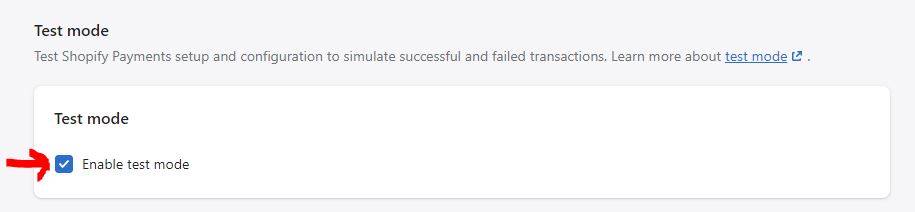
After your store is in test mode use this dummy credit card information during the checkout process.
Name on card: Enter at least two words.
Expiry date: Enter any date in the future.
CVV: Enter any three digits.
Card number: Use the following numbers:
Visa 4242424242424242
MasterCard 5555555555554444
American Express 378282246310005
Discover 6011111111111117
Diners Club 30569309025904
JCB 3530111333300000